Strong passwords, generated instantly — random, passphrase, or word-based. Entirely on your device.
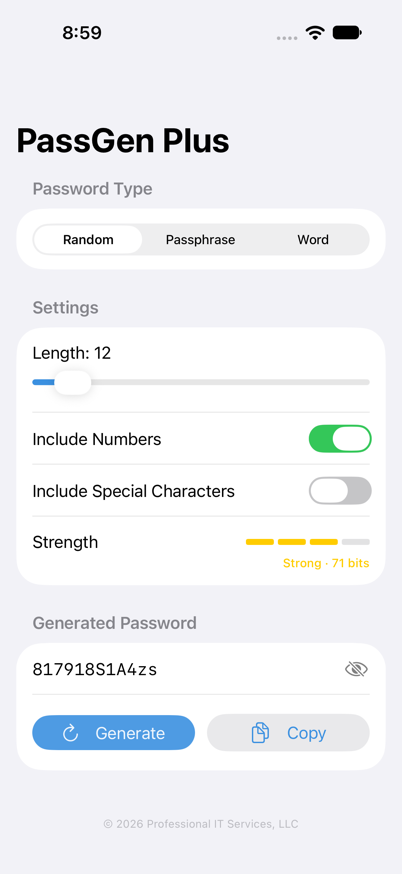
Pick a length from 8 to 64 characters, then toggle numbers and special characters on or off. Every password is guaranteed to include at least one uppercase letter, plus a digit and symbol whenever those options are enabled.
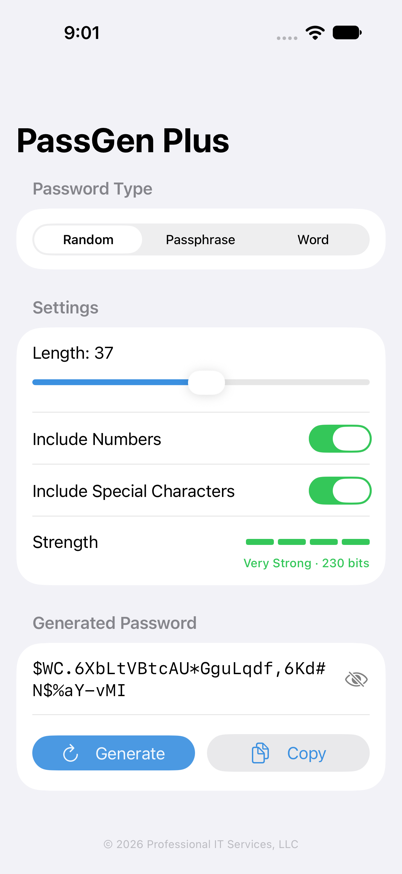
A live strength meter shows Weak, Fair, Strong, or Very Strong alongside the real entropy in bits, so you're never guessing whether a password is good enough.
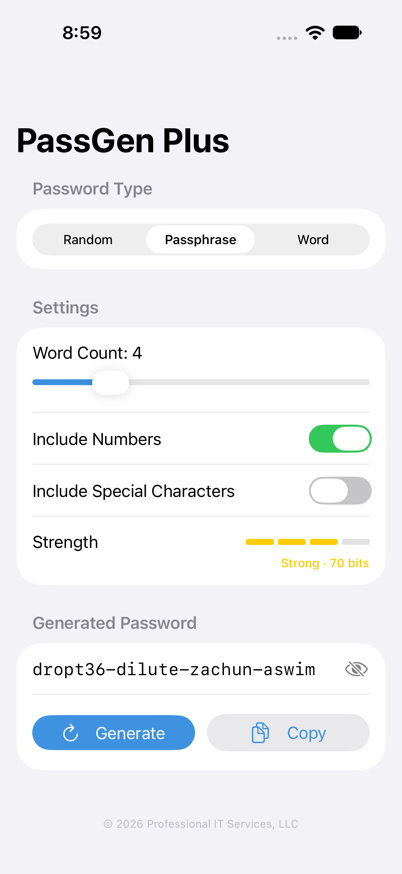
Generate dash-separated passphrases like dropt36-dilute-zachun-aswim from a 3-to-8-word list — long enough to resist attacks, simple enough to actually type on a keyboard or recite out loud.
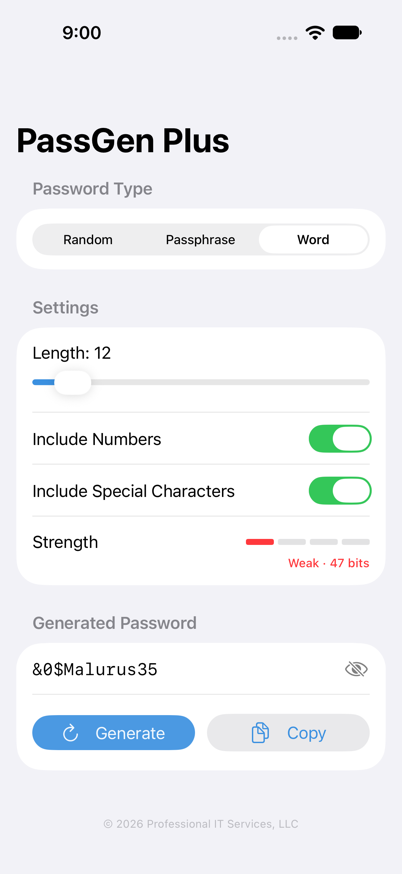
A third style blends whole dictionary words with randomly placed numbers and special characters at your chosen length — a middle ground between fully random strings and plain passphrases.
Every password is generated locally. Nothing is ever sent to a server.
No analytics, no advertising, no accounts, no sign-up required.
PassGen Plus never needs an internet connection to function.
Questions and troubleshooting for PassGen Plus.
No. Passwords are generated on the fly and shown on screen; PassGen Plus doesn't keep a history or log of anything you've generated. Once you leave the screen or generate a new password, the old one is gone unless you've copied or saved it yourself.
Random builds a fully random string of letters, and optionally numbers and symbols, at a length you choose. Passphrase strings together several real words with dashes, which is easier to remember or type by hand. Word is a middle ground — it fills your chosen length with whole dictionary words and weaves in digits or symbols at random positions.
PassGen Plus estimates entropy in bits based on the character set and structure of the password you're generating, then maps that to a Weak/Fair/Strong/Very Strong label. Higher bit counts mean more possible combinations an attacker would have to try.
No. Every password is generated entirely on your device, so PassGen Plus works fully offline.
Email info@passgenplus.com — we read every message.
Effective date: October 12, 2026
Professional IT Services, LLC ("we," "us," or "our") built PassGen Plus as a password generator app. This policy explains what information the app handles and how.
PassGen Plus is designed to work entirely on your own device. We do not operate any server that receives or stores your personal data, and we do not use any analytics, advertising, or tracking services.
Passwords are generated and displayed locally on your device using your device's random number generator. PassGen Plus does not save, log, or transmit the passwords it generates to us or to any third party.
Your chosen settings — such as password type, length, word count, and which character sets are enabled — are stored locally on your device using Apple's standard preferences storage (UserDefaults) so the app remembers your preferences between launches. This data stays on your device and is never sent to us.
PassGen Plus does not knowingly collect information from children, and since the app does not collect or transmit personal data to us in the first place, there is no data of any kind — from any user — for us to retain.
If this policy changes, we'll update the effective date above and post the revised version at this same page.
If you have questions about this policy, contact us at info@passgenplus.com.